What to know before you choose
- The feature covered here is built into Galaxy S26 Ultra; do not assume it is on the standard S26 or S26+.
- Choose when it activates, then test it with the work apps and screen settings staff actually use.
- Visibility still depends on viewing angle, brightness and surroundings. Keep normal screen-handling precautions.
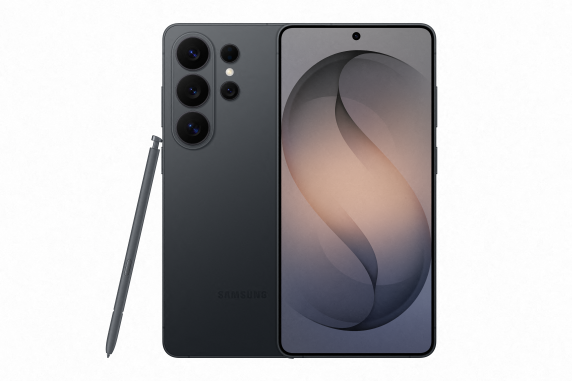
What Privacy Display changes
Privacy Display changes the screen's viewing behaviour to restrict side visibility. Samsung describes controls for the whole screen and selected situations, including applications and certain password-entry screens. It is a hardware display feature, not encryption or a replacement for locking the phone.
The practical question is whether it helps someone work in the places they visit. An employee reading email beside another passenger has a different need from a colleague sharing a document with a customer across a table.
Set it up for the way you work
Open the phone's display settings and look for Privacy display. It can also be made available through the Quick panel. Review the activation options on the installed software, including the applications or situations where protection is wanted.
Use the current Samsung UK setup instructions alongside the handset. Menu labels and available controls can vary with software updates.
For a business pilot, start with an email app and one regularly used work application. Check how the settings affect reading your own screen, showing something to a colleague and handling notification pop-ups. Review the phone's ordinary notification and screen-lock settings too.
Test the limits before relying on it
Samsung says information may remain visible depending on the viewing environment, including angle and brightness. Some changes in image quality can also occur outside the intended viewing angle. Treat the feature as an extra aid to screen privacy.
Use non-sensitive test content and have a colleague check the screen from the positions people typically occupy nearby. Repeat the exercise in bright light and a dim room. Make sure the owner can still read the screen comfortably with their normal accessibility settings.
For highly sensitive work, consider the location and the information being displayed as well as the phone settings. A display feature cannot control who hears a conversation, what another app shares or where an employee sends a file.
Does it justify the Ultra for your team?
Compare the Ultra with the standard S26 using a clear use case. If a role frequently involves reading confidential material in shared spaces, Privacy Display is a feature worth evaluating. If the phone mainly handles calls at a desk, it may not be a reason to choose the more expensive model.
Combine the pilot with the Ultra's size, carrying comfort, S Pen use and total contract cost. Our Galaxy S26 Ultra comparison helps put those requirements in context.
Keep the wider device controls in place
Use screen locking, appropriate account access and the organisation's approved apps. Ask your IT team how the chosen display settings fit with existing policies. Our Knox guide explains the separate role of security and device management.
Frequently asked questions
Does Galaxy S26+ have this Privacy Display?
The Samsung feature described in this guide is on Galaxy S26 Ultra. Do not assume the standard S26 or S26+ includes it.
Can I use it only for particular apps?
Samsung describes application-specific activation settings. Check the controls on the handset and test the apps used by your business.
Does it make the screen completely invisible to others?
No. Samsung notes that information may still be visible depending on angle, brightness and the viewing environment.
Is it a replacement for device security?
No. It helps with visual privacy. Locking, account security, updates and business device policies serve separate purposes.
Samsung sources and further reading
Product and support details checked against the sources below on 8 September 2026. Confirm the exact UK model and terms with your quote.
Put the right Samsung devices to work
Tell us the roles, number of handsets, work locations and renewal dates. Request a comparison of device, network and contract options for your business.
Get a free Samsung quoteMinimum 24-month business contracts. Availability, Enterprise Edition benefits and any software or service charges are confirmed with your quote.